USB-C describes the plug, not the whole workflow.
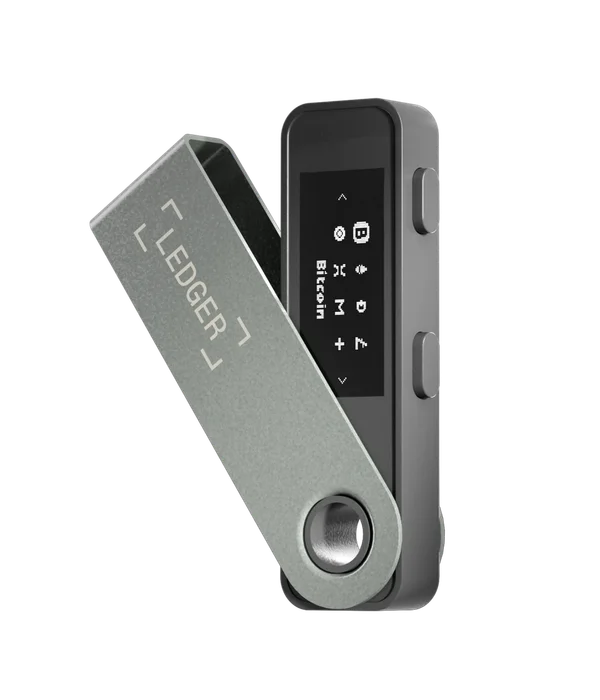
Nano S Plus is powered through USB and has no Bluetooth connection. Ledger documents Android use with an appropriate data-capable connection. Some phones require USB OTG to be enabled in settings; a charging-only cable cannot carry the data the wallet app needs.
The official product page excludes iPhone use. An adapter cannot add a missing supported software workflow. For Android, check both the phone’s USB capabilities and the current Ledger app requirements. Older help articles may show older minimum OS versions than today’s product page.
Separate approval, with a cable attached.
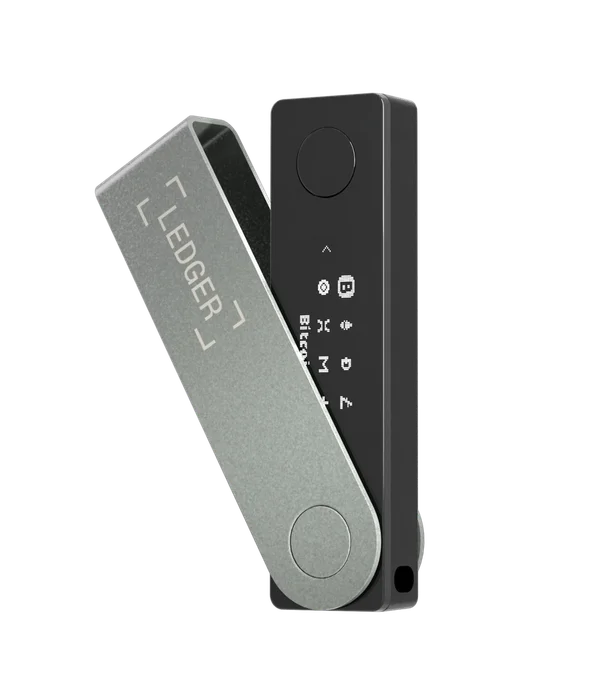
Its monochrome display and two-button navigation put confirmation on the device. You do not have to keep a wallet battery charged, but you do have to bring a suitable cable and use a phone that can power the connection. Consider that physical arrangement if you often need to transact away from a desk.
Check the exact application you intend to use. Ledger Wallet supporting Android USB does not establish that every mobile browser wallet or third-party app can connect to Nano S Plus. This distinction is particularly important when following a tutorial filmed on a desktop computer.
Confirm maintenance separately from sending.
A wired connection is required for device maintenance. Before buying for exclusive phone use, check Ledger’s current Nano S Plus update guide for your Android setup. We have not established every firmware-version and phone combination, so this profile does not promise a complete computer-free lifecycle.
Keep the device model exact when searching for help: Nano S, Nano S Plus and Nano X have different capabilities and support histories. Do not apply an old Nano S support announcement to Nano S Plus without checking the manufacturer.
A recovery plan is more than another cable.
If the phone fails, a supported replacement phone and a working device may be sufficient to reconnect. If the signing device is lost or fails, restoration depends on the correct backup and a compatible replacement. The phone app’s balance history alone cannot restore signing access.
Use the official recovery instructions and enter recovery words only through the intended hardware recovery process. A forum reply asking for words, an online verification form or a replacement device supplied with prewritten words is not a legitimate shortcut. Confirm the recovery route before holding funds.