Bluetooth for iPhone. A wired option for Android.
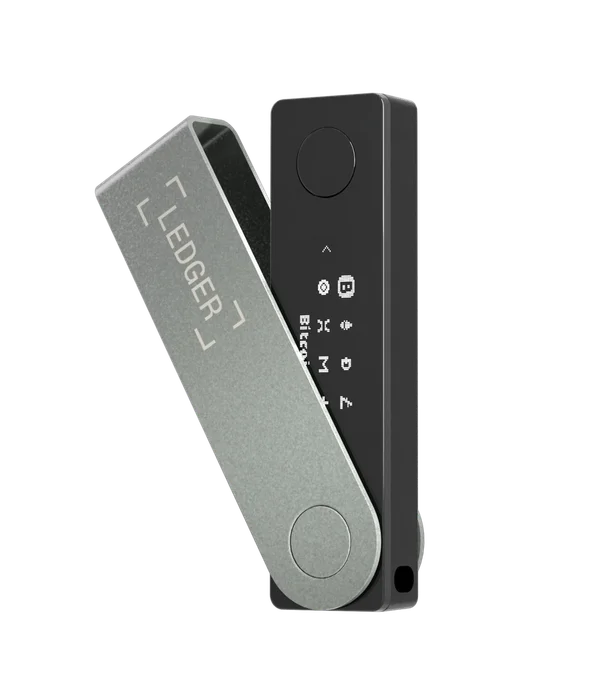
Nano X supports Bluetooth with iPhone and Bluetooth or USB with Android. Pair through the official Ledger app and follow the device prompts. The fact that an iPhone has USB-C does not turn it into a wired Ledger host.
Before ordering, compare your phone’s OS with Ledger’s current app requirements. Then check the apps needed for your assets. Native support in Ledger Wallet and support through another wallet application are different paths; a desktop integration may not exist on mobile.
Small display, deliberate confirmation.
The monochrome display and two buttons let you review and approve on the device. Compact dimensions suit carrying, but long addresses and transaction information involve scrolling. If reading small text or using both buttons is uncomfortable, compare a larger-screen device before buying.
A dedicated display is useful only when you inspect what it shows. Understand the exact transaction or permission being approved. A hardware wallet does not make an unfamiliar contract harmless or remove network fees.
Ask about the starting OS version.
Ledger’s product page states that Bluetooth OS updates require Ledger OS 2.4.1 or later. An older Nano X needs a wired desktop or Android update first. A new retail purchase does not by itself prove which firmware is installed in that particular unit.
For an iPhone-only buyer, ask the seller or Ledger to establish this before purchase. Keep the recovery backup available according to the official update guide. If pairing fails, use the current troubleshooting instructions; resetting a wallet is not a routine first step for a connection problem.
The backup outlasts the phone.
Changing phones is not the same as restoring the wallet’s keys. A working Nano X can be connected to a supported replacement phone and the relevant accounts added again. Losing or resetting the hardware device calls for the correct recovery backup and a compatible restoration process.
Never type a Ledger recovery phrase into a website, a support chat or a phone app claiming to repair Bluetooth. Keep backup material separate from the device and learn the manufacturer’s recovery procedure before you depend on it. We have not independently tested a recovery.