Phone setup is documented for this exact model.
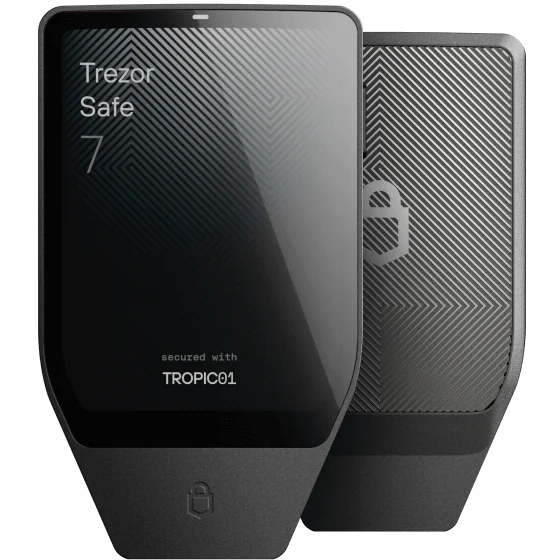
Trezor’s Safe 7 guide describes setup in the mobile Suite app, including pairing and firmware installation. iPhone uses Bluetooth; USB-C can provide power. Android has Bluetooth and USB options. The Safe 7 model name matters: do not transfer these capabilities to every other Trezor.
Install Suite from the route linked by Trezor and compare the pairing information on your phone and device. Complete the documented authenticity and backup steps before using the wallet. Connection support is a starting point, not evidence that a particular coin or external app is supported.
A touchscreen changes the reading experience.
The dedicated colour touchscreen gives you a second place to inspect transaction details and approve actions. Compared with a small two-button device, the practical question is whether the larger display and touch controls suit your eyesight and hands. An owner’s preference is useful context but cannot settle that question for everyone.
Check supported assets in Trezor Suite and any required third-party application separately. A feature shown in a desktop video is not automatically available in mobile Suite. Use the exact phone, asset, network and application when asking support about compatibility.
Mobile firmware is only one maintenance question.
The manufacturer documents firmware installation in its mobile setup flow. Follow the current guide when an update is offered and make sure your backup arrangement is understood first. App updates, device firmware and a backup check serve different purposes.
Read current security notices as part of a purchase. Trezor has published a TROPIC01 chip vulnerability disclosure. It describes a specialised physical attack against one protection layer and says the other layers still protect the PIN and backup. We link that account below; this profile is not an independent security audit.
Check your chosen backup procedure.
The recovery guide covers compatible BIP39 and SLIP39 backups and entry on the device. Different backup methods have different dependencies. Its staggered multi-share procedure, for example, calls for connecting to computer-based Suite when entering the final share. That condition matters if you intend never to use a computer.
Do not infer a universal phone-only recovery guarantee from successful mobile setup. Read the instructions for your exact method and obtain clarification if a required stage is unclear. A passphrase, if you choose to use one, is a separate dependency you must preserve correctly.